Creating a home workspace that feels cozy and promotes productivity can transform your work-from-home experience. Whether you’re setting up a dedicated room or carving out a corner in your living space, the right environment can help you stay focused, motivated, and comfortable throughout your workday. Below are some practical tips to help you design a workspace that combines warmth and efficiency.
Choosing the Right Spot
Consider Natural Light
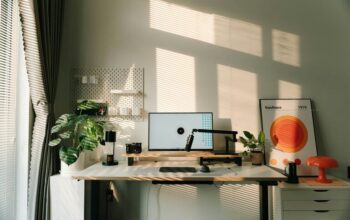
Natural light is a key factor for a productive workspace. It helps reduce eye strain and boosts your mood. Try to place your desk near a window, but avoid glare on your screen by positioning your monitor perpendicular to the window.
Minimize Distractions
Select a quiet area where you can concentrate without interruptions. If possible, separate your workspace from high-traffic parts of your home to create a dedicated zone for work.
Furniture that Fits Your Needs
Invest in an Ergonomic Chair
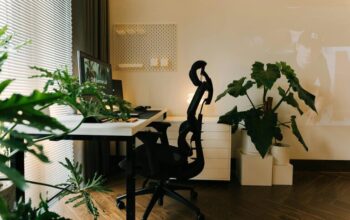
Comfort is crucial for long hours at the desk. Choose a chair with good lumbar support, adjustable height, and comfortable padding to prevent back pain and promote good posture.
Choose a Desk with Enough Space
Your desk should be spacious enough for your computer, essential tools, and some personal items. A clutter-free surface encourages better focus and organization.
Personalizing Your Workspace
Add Comfortable Textiles
Incorporate a soft rug, cushions, or a cozy throw to give warmth to your space. Textiles help make your office feel inviting without compromising professionalism.
Use Soothing Colors
Choose calming colors like soft blues, greens, or neutrals. These tones can reduce stress and foster a tranquil environment that’s conducive to concentration.
Optimize Lighting
Combine Ambient and Task Lighting
General lighting keeps the room bright, while task lighting (like a desk lamp) focuses on your work area. Adjustable lighting reduces eye fatigue and enhances focus.
Consider Warm Light Bulbs
Warm or natural light bulbs create a cozy atmosphere, making your space feel less sterile and more welcoming.
Organize and Declutter
Use Storage Solutions
Shelves, drawers, and organizers help keep your workspace tidy. Items within easy reach save time and reduce distractions caused by clutter.
Keep Only Essentials on Your Desk
Limit desktop items to those you need regularly. A minimalist approach enhances mental clarity and overall productivity.
Incorporate Plants and Greenery
Bringing plants into your workspace adds color and life. They improve air quality and have been shown to reduce stress and enhance creativity.
Choose Easy-to-Care-For Plants
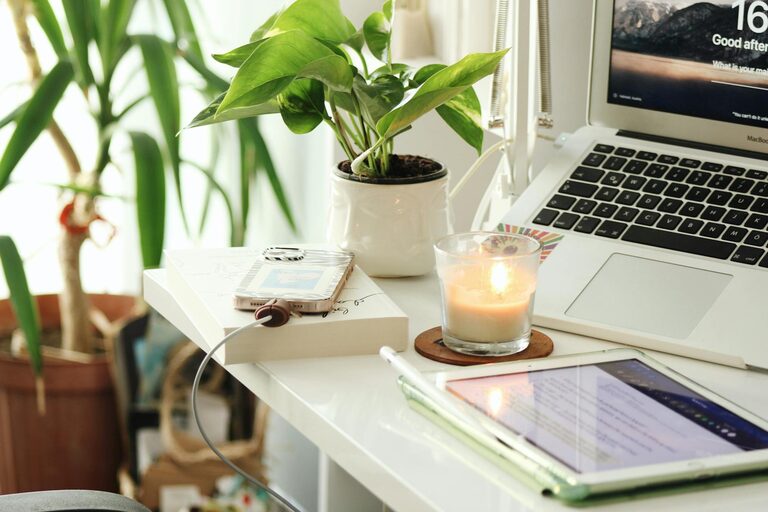
Succulents, snake plants, or pothos are ideal for home offices since they require minimal maintenance.
Establish a Routine and Boundaries
Set Work Hours
Define clear start and end times for your workday. Routine creates balance, helping you separate work from personal life.
Use Visual Cues
When you’re in your workspace, it signals your brain to focus. Leaving the area at the end of the day helps you mentally switch off.
Invest in Technology and Accessories
Use a Reliable Internet Connection
A stable internet connection is fundamental for productivity, especially if your work involves video conferencing or large file transfers.
Add Ergonomic Accessories
Consider keyboard trays, monitor stands, or wrist rests to maintain comfort and reduce strain.
Keep Comfort in Mind
Control Room Temperature
Ensure your workspace is neither too hot nor too cold. Use fans, heaters, or air conditioning as needed to maintain a comfortable temperature.
Incorporate Personal Touches
Photos, artwork, or a favorite mug can make your workspace more enjoyable without creating distractions.
Final Thoughts
Creating a cozy and productive home workspace is about balancing function and comfort. Thoughtful design choices, organization, and personal touches can make your home office a place where you look forward to working every day. Start small by adjusting one or two elements and gradually build a space that supports both your productivity and well-being.