
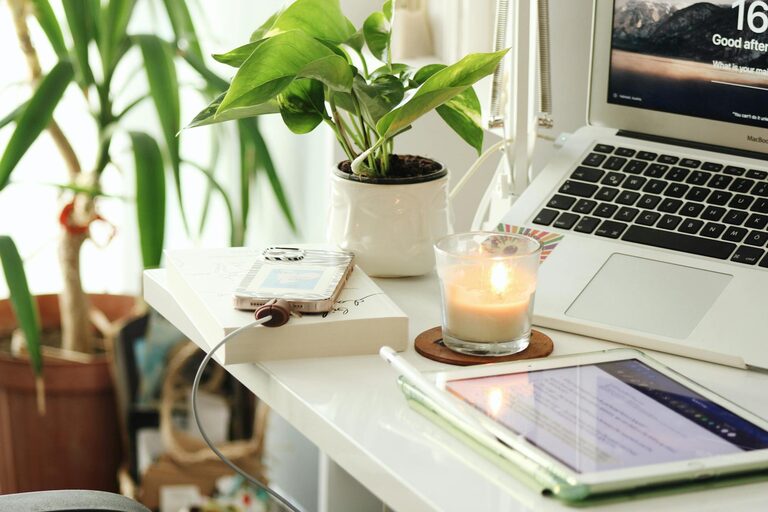
Creating a home office that is both cozy and productive can greatly improve your work-from-home experience. When your workspace feels comfortable and inspiring, it’s easier to stay focused and motivated throughout the day. Whether you have a dedicated room or just a small corner, these tips will help you design a home office that meets your needs and nurtures your wellbeing.
Choose the Right Location
The first step when setting up your home office is selecting the best spot. Consider these factors:
– Natural light: A space near a window will help you stay alert and boost your mood.
– Quietness: Choose a location away from noise and distractions to maintain concentration.
– Space: Make sure there’s enough room for your desk, chair, and any equipment you need.
If you don’t have a separate room, a corner in your living room or bedroom can work well too.
Invest in Comfortable Furniture
Your furniture plays a major role in comfort and productivity. For a home office, focus on:
– Ergonomic chair: Choose a chair that supports your back and encourages good posture. Adjustable height and lumbar support are great features.
– Desk size: Pick a desk with enough surface area for your computer, notebooks, and other essentials.
– Standing options: Consider a sit-stand desk or a desk converter to vary your working position.
Comfortable furniture minimizes fatigue and helps prevent discomfort over long hours.
Optimize Lighting
Good lighting reduces eye strain and creates a pleasant working atmosphere. Aim for:
– Bright but soft light: Use a combination of natural and artificial light.
– Task lighting: A desk lamp with adjustable brightness can help on cloudy days or during late work sessions.
– Avoid glare: Position screens and lights to prevent reflections on your monitor.
Adding warm, cozy lighting elements like string lights or candles (used safely) can make the space inviting.
Organize for Efficiency
Keeping your home office tidy improves focus and saves time looking for supplies. Try these organization ideas:
– Storage solutions: Use drawers, shelves, or boxes to keep papers and supplies neat.
– Desk accessories: Pen holders, cable organizers, and file trays reduce clutter.
– Minimalism: Only keep daily necessities on your desk to avoid distractions.
Regularly declutter your workspace to maintain a clean environment.
Add Personal and Cozy Touches
Making your workspace feel warm and personalized helps reduce stress and keep you happy. Consider:
– Plants: Small indoor plants improve air quality and add life to your office.
– Artwork: Hang pictures or posters that inspire you.
– Comfort items: Cozy blankets, cushions, or a rug make the space inviting.
– Favorite scents: Use essential oil diffusers or candles with scents you enjoy.
These touches make your office feel uniquely yours and encourage you to spend more time there.
Minimize Distractions
Staying focused at home can be challenging. Try these tips to reduce interruptions:
– Set boundaries: Let family members or roommates know your work hours.
– Noise control: Use noise-canceling headphones or soft background music.
– Digital detox: Turn off non-work notifications and use apps that block distracting websites.
Creating a distraction-free zone helps you get more done efficiently.
Maintain a Healthy Routine
Your workspace supports productivity, but your habits make the difference. Remember to:
– Take breaks: Stand up, stretch, and walk around every hour.
– Stay hydrated: Keep a water bottle at your desk.
– Move your body: Incorporate simple exercises or yoga into your day.
– Set working hours: Define a clear start and end time to balance work and personal life.
Healthy habits will enhance your focus and overall well-being.
Use Technology Wisely
Equip your home office with tools that improve your workflow:
– Reliable internet: Ensure your connection is strong and stable.
– Quality devices: Invest in a good monitor, keyboard, and mouse.
– Useful apps: Try task managers, calendar apps, and communication platforms.
– Backup power: Consider a UPS (uninterruptible power supply) if power outages are common.
Technology should support your work, not frustrate it.
Personalize Your Workspace Setup
Everyone works differently, so tailor your space to what fits you best:
– Desk arrangement: Place items within easy reach.
– Screen positioning: Align your monitor at eye level to reduce neck strain.
– Temperature control: Use fans, heaters, or open windows to stay comfortable.
The right setup encourages productivity and reduces discomfort.
—
By following these tips, you can create a home office space that balances comfort and efficiency. A cozy, well-organized workspace will not only help you get work done but also make your home feel like a welcoming place to be productive and creative every day.